Compare each source file with a document generated by this website’s browser converter. These are small, specific examples, not a promise that every Markdown extension or document layout is supported. Open the DOCX in your own Word application before relying on the output.
Editable tables
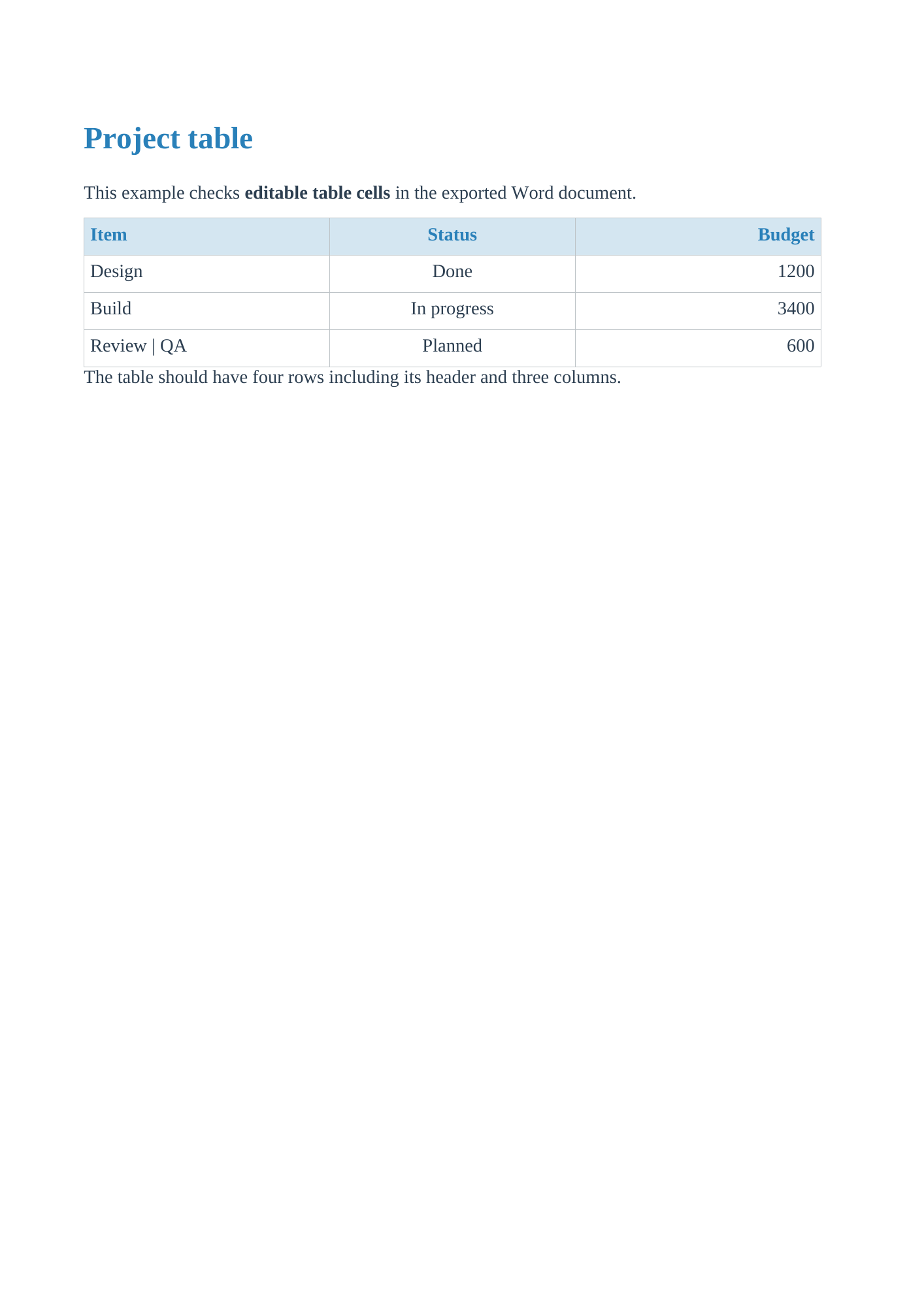
A project table with left, center, and right alignment, plus bold text and an escaped pipe.
# Project table

This example checks **editable table cells** in the exported Word document.

| Item | Status | Budget |
| :--- | :---: | ---: |
| Design | Done | 1200 |
| Build | In progress | 3400 |
| Review \| QA | Planned | 600 |

The table should have four rows including its header and three columns.
What to check
- A native Word table with 4 rows and 3 columns.
- “Review | QA” stays inside one cell.
- Open in your Word application to check alignment and adjust column widths.
Merged cells, multi-line cells, and very wide tables need separate review. Standard Markdown does not express merged cells.
See the actual DOCX rendered in LibreOffice
Inline and display math
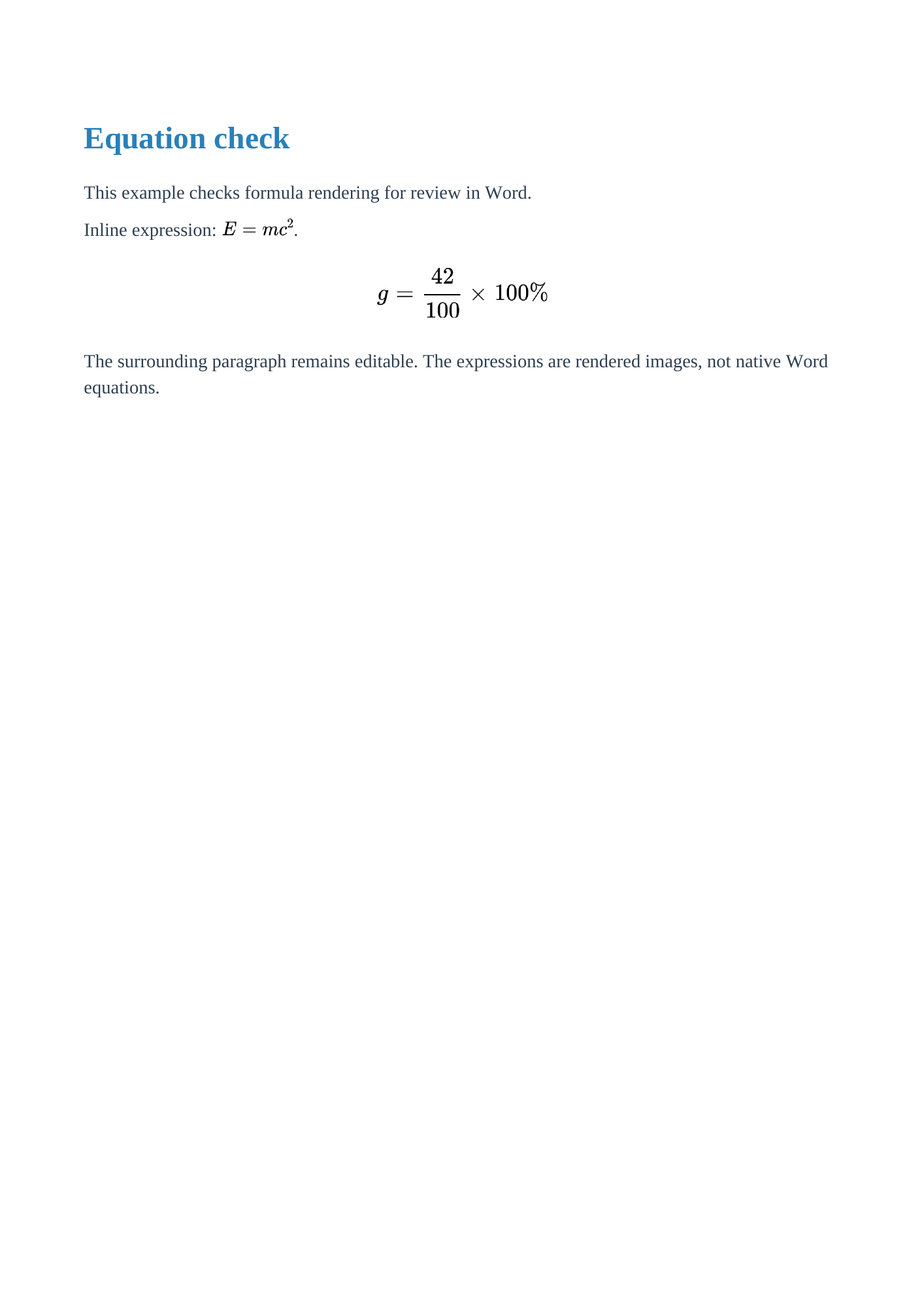
Inline energy notation and a display fraction, rendered as images in Word.
# Equation check

This example checks formula rendering for review in Word.

Inline expression: $E = mc^2$.

$$
g = \frac{42}{100} \times 100\%
$$

The surrounding paragraph remains editable. The expressions are rendered images, not native Word equations.
What to check
- The inline expression and display fraction are visible.
- The Word file contains embedded formula images.
- Surrounding text can be selected and edited.
Equations are images rather than native editable Word math. Unsupported macros may fall back to text.
See the actual DOCX rendered in LibreOffice
Mermaid flowchart
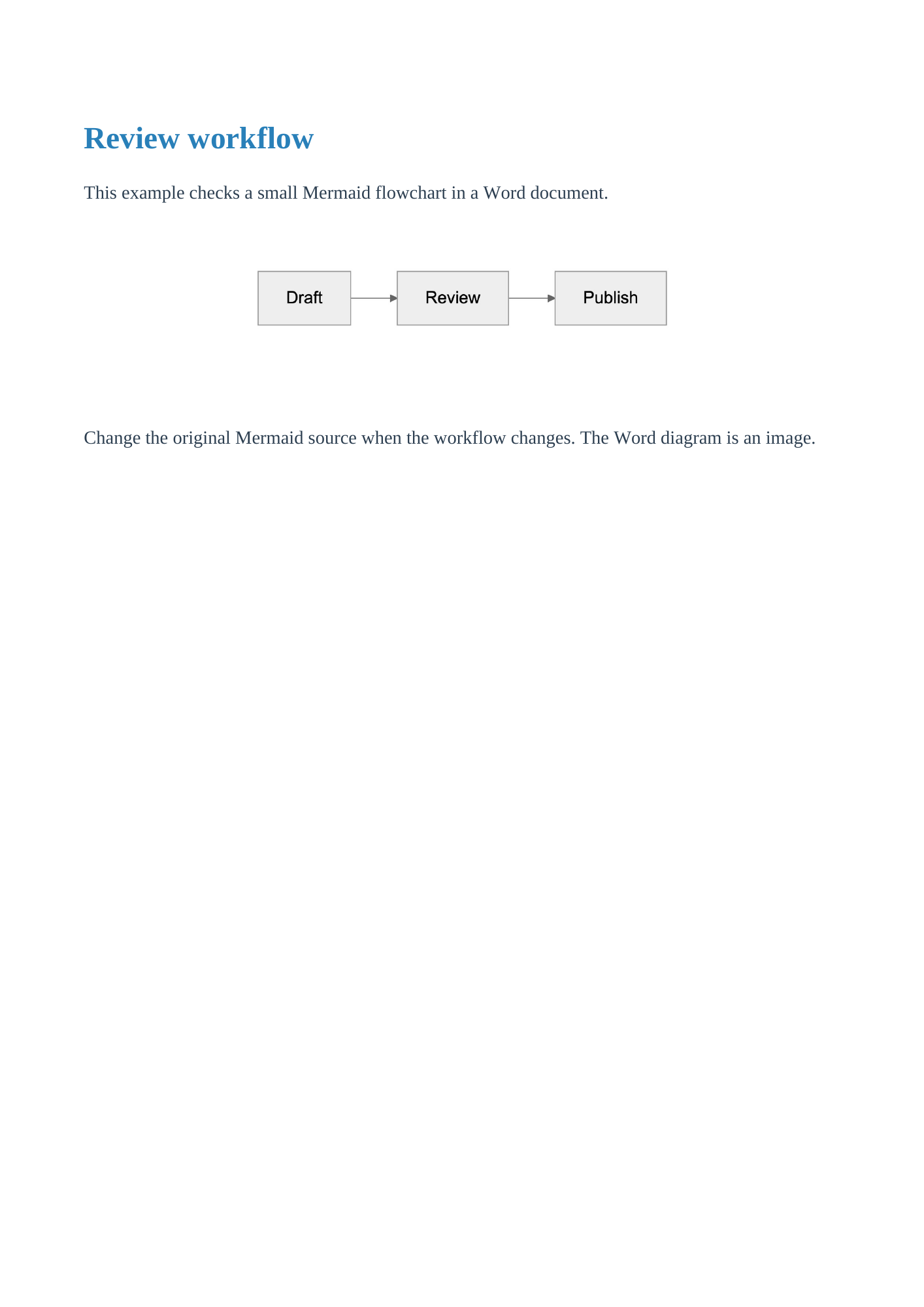
A short review workflow embedded as a diagram image in Word.
# Review workflow

This example checks a small Mermaid flowchart in a Word document.

```mermaid
flowchart LR
  A[Draft] --> B[Review]
  B --> C[Publish]
```

Change the original Mermaid source when the workflow changes. The Word diagram is an image.
What to check
- Draft, Review, and Publish appear in the diagram.
- The Word archive contains an embedded image.
- The diagram fits within the page width.
Large diagrams may become hard to read. Split them into smaller diagrams; the diagram itself is not editable in Word.
See the actual DOCX rendered in LibreOffice
Chinese and mixed-language text
Chinese headings, a short English label, and a table for checking font substitution.
# 中文项目报告

这是一份用于检查中文导出的示例文档。English label: Project report.

## 检查项目

| 项目 | 状态 |
| --- | --- |
| 需求分析 | 已完成 |
| 文档导出 | 待检查 |

请在自己的 Word 软件中检查汉字是否清晰,字体是否被替换,以及表格是否完整。
What to check
- Chinese text is present in the document XML.
- The table remains editable.
- Check glyph appearance on the target device; the exported DOCX does not embed a CJK font.
Font availability differs by operating system and Word version. A structural check does not prove every reader has the required font.
The archive check confirms the Chinese text is preserved. Our LibreOffice rendering environment did not display the CJK glyphs correctly, so this case is not marked as visually verified. Choose a CJK font available in the application that opens your file and check the result there.